Turn any process into a step-by-step guide by clicking through it once.
Record in Chrome. Walkthru captures every click, writes the captions, and gives you a guide and a narrated video to share.
From clicks to a finished guide in minutes
Record
Press Start in the extension and do the task as usual. Every click becomes a step with a screenshot.
Polish
Captions are written for you. Reorder steps, blur anything private, and tune each step's zoom.
Share
Send a link, embed it in your help centre, or download a PDF or an MP4 video.
Everything a good guide needs
Captions that read like a person wrote them
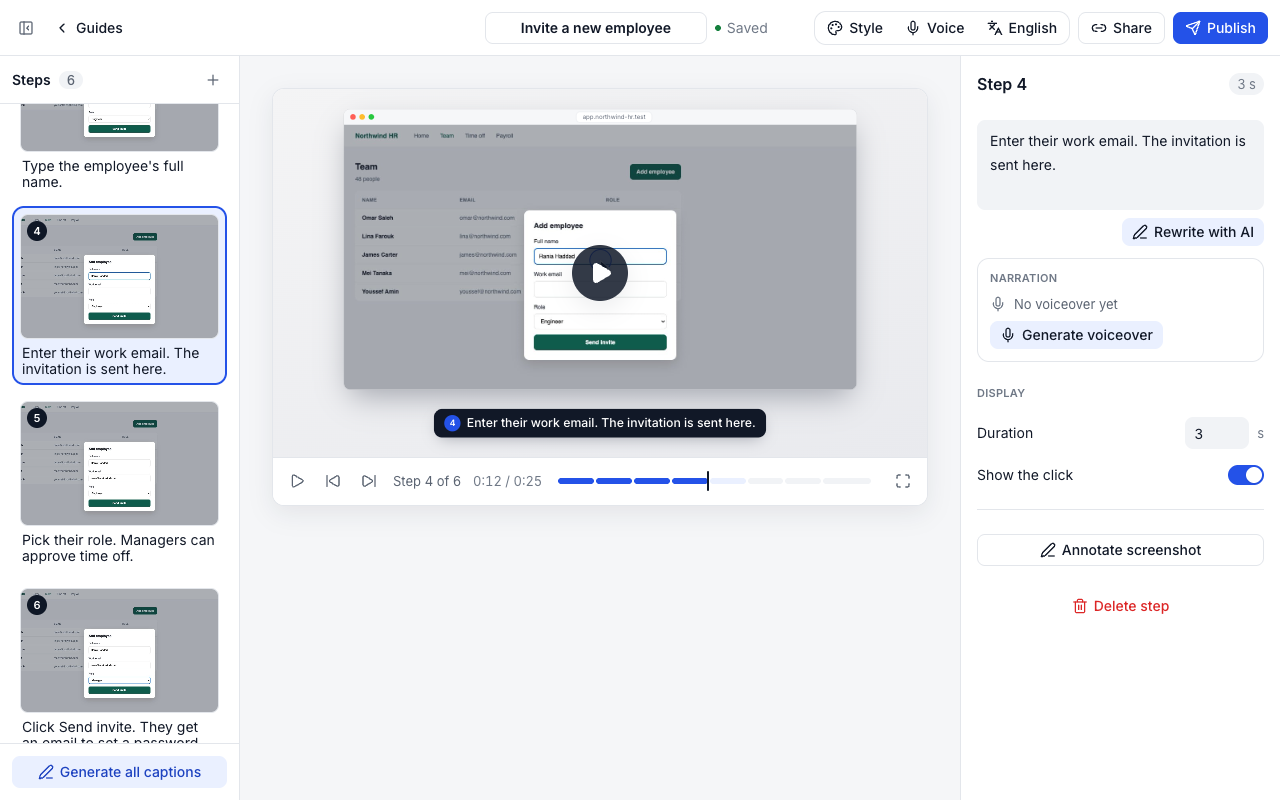
Walkthru looks at each screenshot and the element you clicked, then writes a short, clear instruction. Rewrite any step with one click: shorter, more detail, simpler words.
- Written right after you record
- Rewrite one step or all of them
- Edit anything by hand
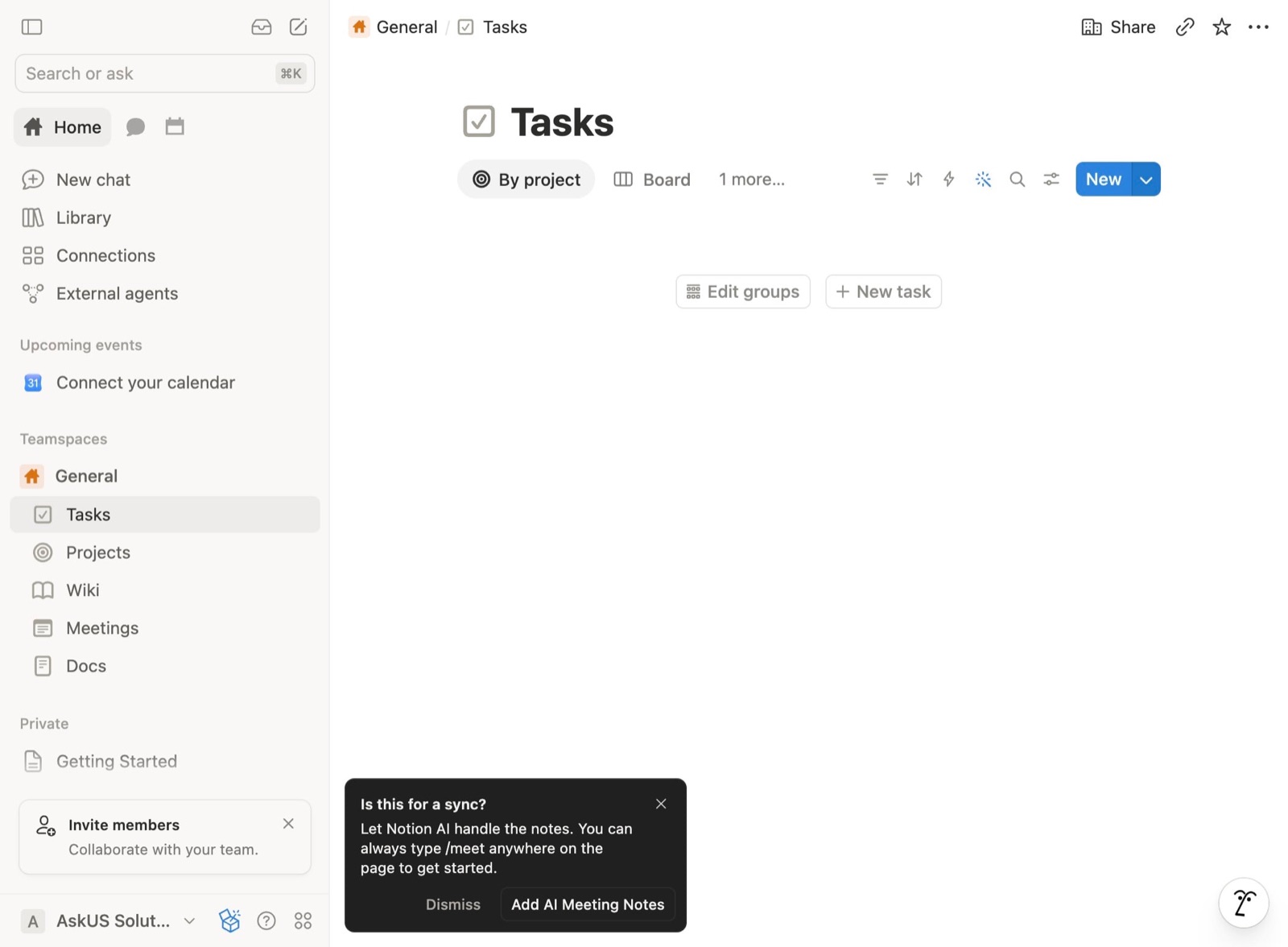 2Click the arrow next to "New" to show the template options.
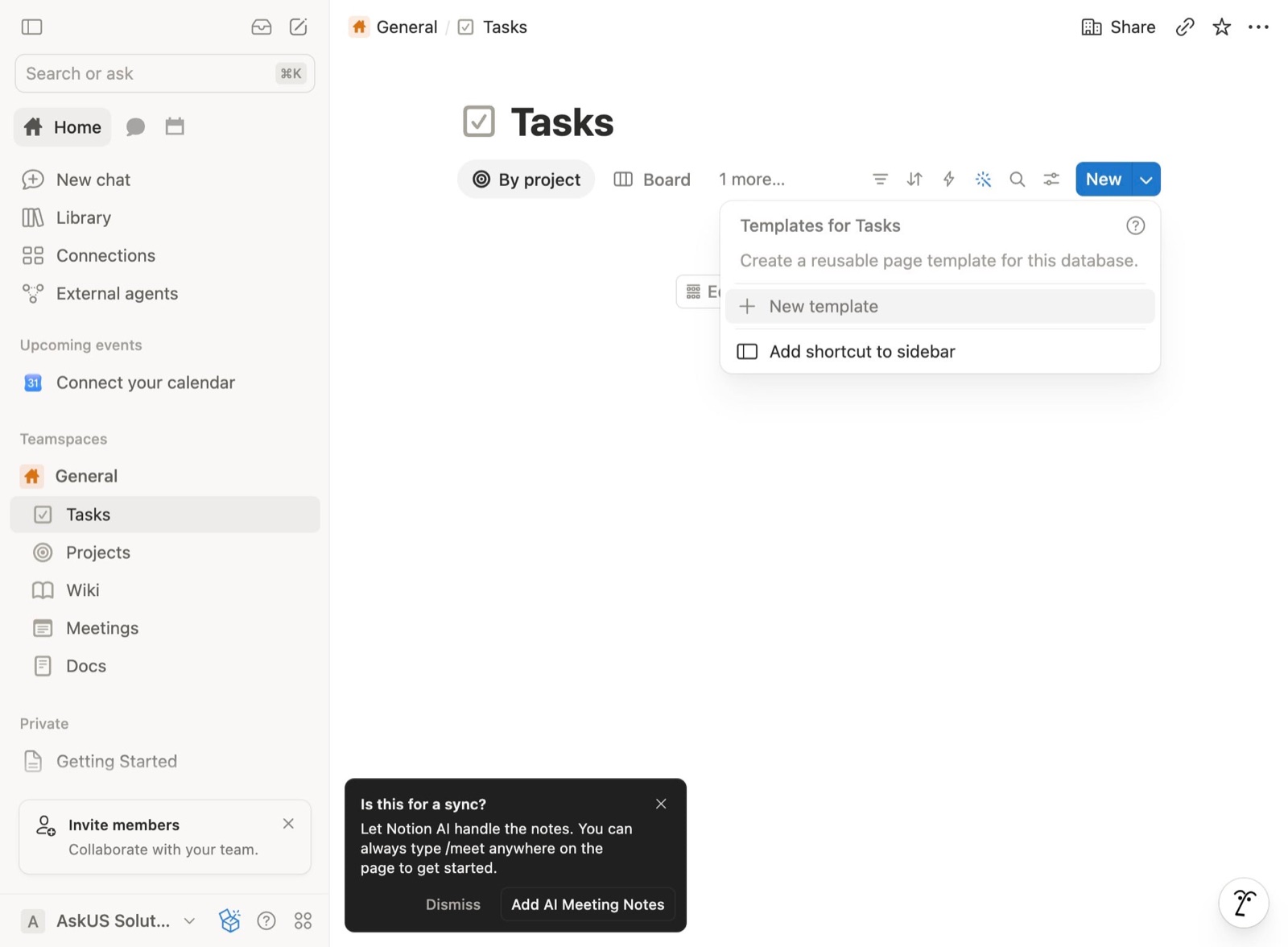 3Click "New template".
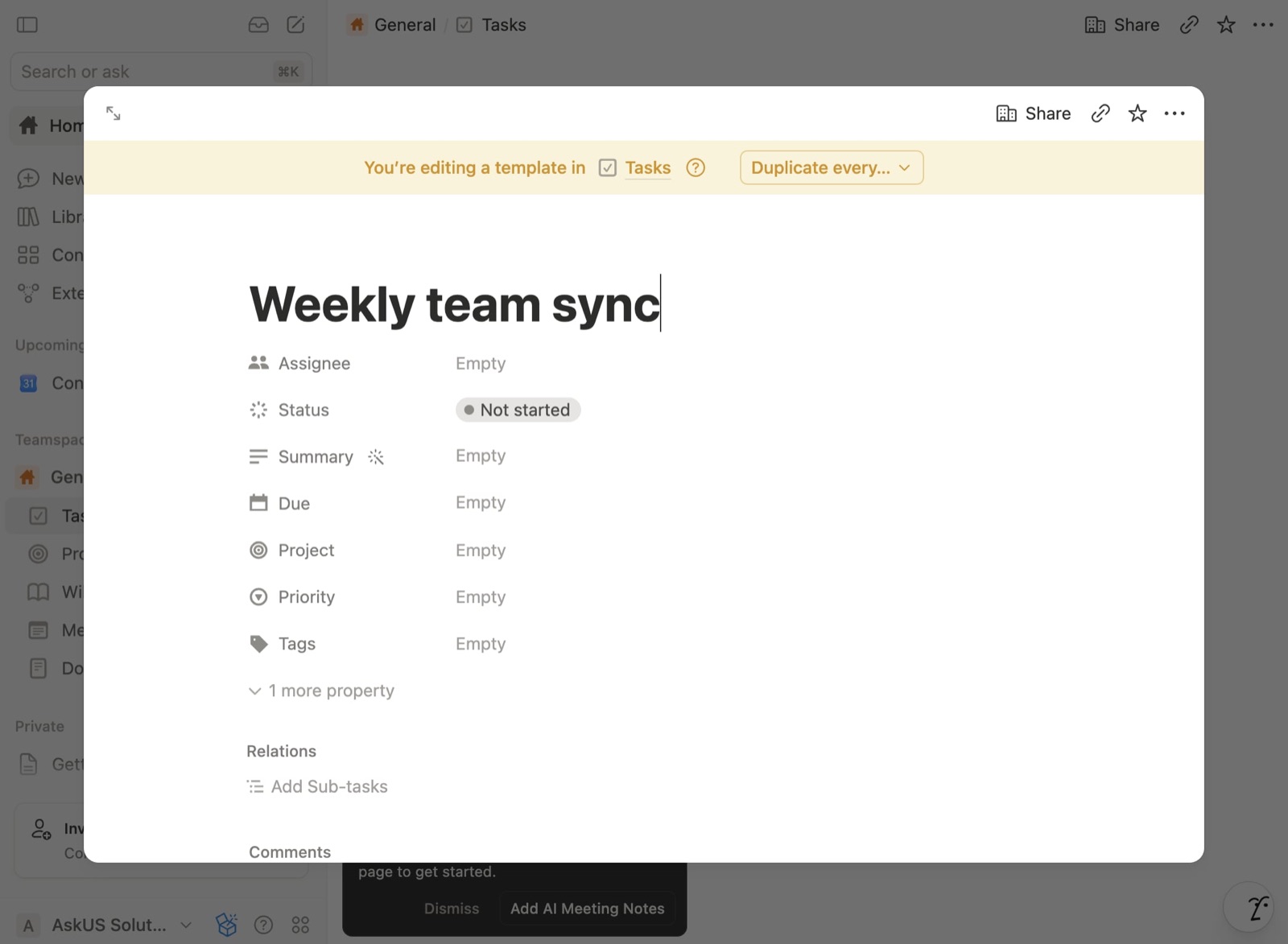 4Type a name for the template, then click the arrows icon in the top-left corner to close it.
A narrated video, without a video editor
Every guide is also a video: the cursor glides to each click, the view zooms in where it matters, and steps crossfade. Add a natural voiceover and export an MP4.
- Cursor motion and zoom per step
- Natural voices in English and Arabic
- Start and end screens in your style
Right-to-left, done properly
Write guides in Arabic or translate one in a click. Captions, the share page, the PDF and the video all read right to left.
- Translate a guide or make an Arabic copy
- Arabic narration
- Mixed Arabic and English text stays readable
Wherever your team reads
One guide, every format: a link that plays as a video or reads step by step, an embed for your help centre, and files to download.
- Share link
- Embed
- Markdown
- MP4 video
- Views and completions
Records right in Chrome
Install Walkthru from the Chrome Web Store, connect it once, and press Start on any website. Steps appear in the side panel as you click.
Only clicks are recorded. Never what you type, and password fields are skipped.
Add to Chrome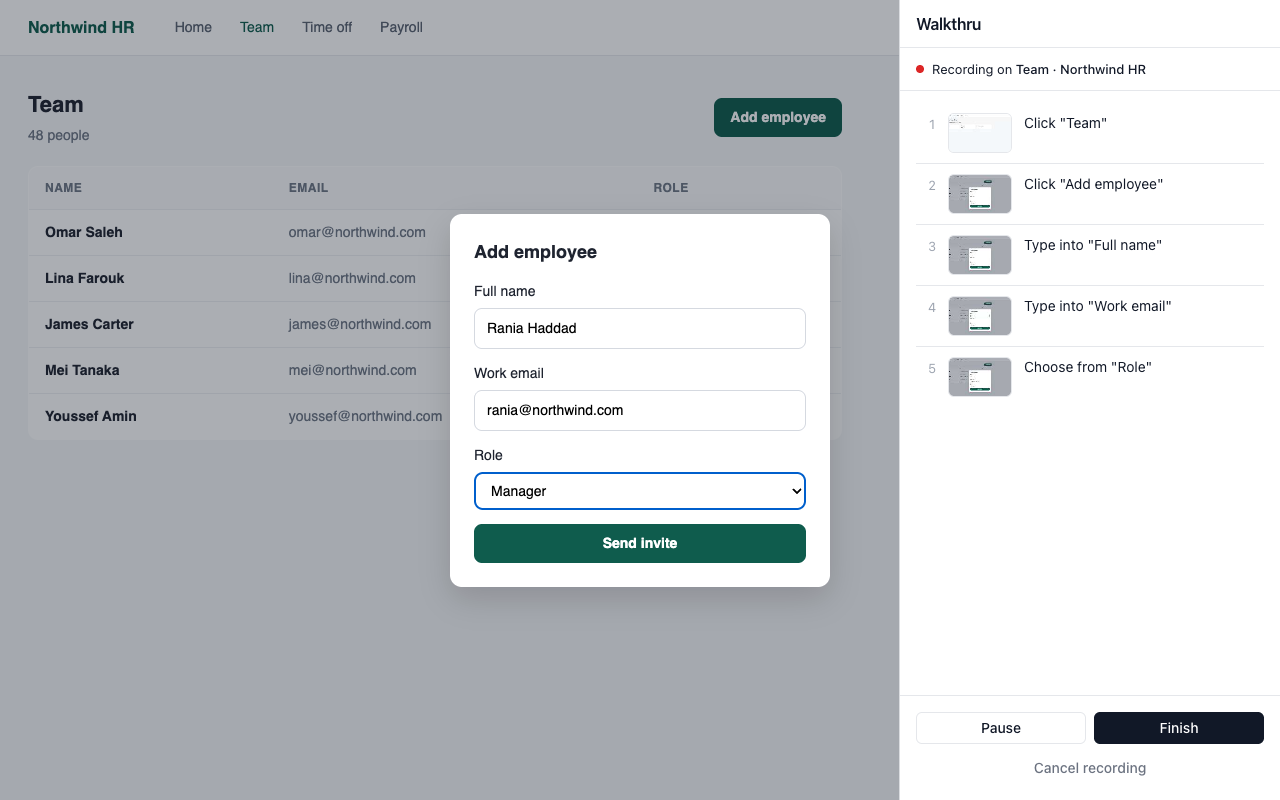
Simple pricing
Start free. Upgrade when your team needs more.
Free
For trying it out
$0/ month
- 3 guides
- AI-written captions
- Share link and embed
- PDF and Markdown export
- Video player with zoom and motion
- "Made with Walkthru" on shared guides
Pro
For teams that document every day
$19/ month
- Unlimited guides
- Team members
- MP4 video export
- Natural voiceover, 10,000 characters a month
- No footer on shared guides
Questions
Which browsers work?
Recording needs Chrome (or a Chromium browser that installs Chrome extensions). Viewing a guide works everywhere, on phones too.
Does it record what I type?
No. Only clicks are recorded, with a screenshot and the name of the element you clicked. Password fields are skipped entirely.
Who writes the captions?
Walkthru writes them with AI from each screenshot and click, right after you record. You can rewrite or edit any of them.
Can I make a video?
Yes. Every guide plays as a video with cursor motion and zoom. On Pro you can add a natural voiceover and download an MP4.
Does it work for Arabic guides?
Yes. Guides in Arabic read right to left everywhere: the editor, the share page, the PDF and the video, with Arabic narration.
Where are my screenshots stored?
On our servers in the EU. They are never public unless you share a guide, and you can delete a guide at any time.
Can I cancel?
Yes, from Billing in your settings. Your guides stay; the Free limits apply again.
Document your next process in the time it takes to do it.
Free to start. Your first guide takes about two minutes.
Start free